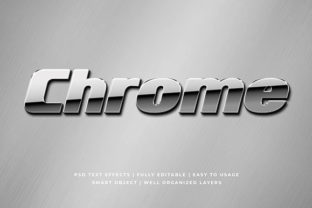
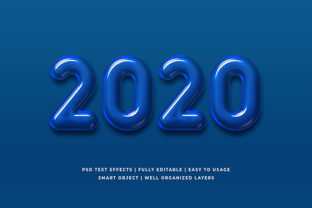
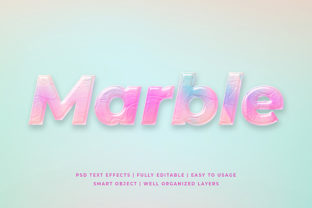
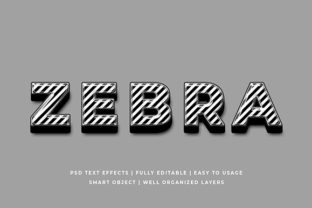
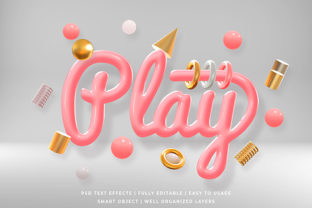
3D Logo or Text Effect Mockup
If you’ve ever spent hours tweaking a logo in design software—adjusting lighting, shadows, perspective, and surface texture—only to realize it still doesn’t “pop” on a real-world background, you’re not alone. That’s where a 3D Logo or Text Effect Mockup steps in: a pre-built, realistic digital scene that lets you drop your flat logo or text into a three-dimensional context—like a glossy smartphone screen, embossed business card, metallic signage, or even a neon-lit storefront—with just one click.
It’s not 3D modeling software. You don’t need to learn Blender or Cinema 4D. And it’s not just a filter—it’s a smart, layered PSD or Figma file (or sometimes a web-based tool) with editable smart objects, realistic materials, dynamic lighting, and camera angles baked in. What makes it practical is how quickly it bridges the gap between concept and credibility—turning “this might work” into “yes, this looks professional *right now*.”
When Realism Matters More Than Rendering Time
Think about the last time you pitched a brand refresh to a client—or posted a new course title on Instagram—or submitted a portfolio piece for a freelance gig. You weren’t selling pixels. You were selling confidence, polish, and intention. A flat PNG of your logo on a white background rarely conveys that. But a 3D Logo or Text Effect Mockup showing your typography wrapped around a matte-black acrylic plaque? Or glowing softly inside a sleek laptop lid? That tells a story before anyone reads a word.
This isn’t about chasing trends. It’s about matching expectations. Clients scroll past dozens of proposals daily. Educators want slides that hold attention during a 90-minute workshop. Small business owners updating their Google Business profile need visuals that signal “we care about how we show up.” In those moments, realism isn’t decoration—it’s communication.
Where People Actually Use These Mockups (and Why It Sticks)
Freelancers and agencies use them to deliver presentation-ready concepts without waiting for a 3D artist. One designer told us she cuts proposal turnaround from 3 days to 90 minutes—swapping her client’s logo into five different mockups (a neon bar sign, a woven tote bag, a chrome USB drive, an embroidered cap, and a website hero banner) to show versatility across touchpoints.
Bloggers and educators embed them in tutorials—not to teach 3D, but to demonstrate hierarchy, contrast, and visual weight. For example, comparing how the same headline looks flat vs. extruded with soft ambient light helps students grasp why certain fonts feel “authoritative” or “approachable” in practice—not theory.
Small retailers and makers use them for social proof and product framing. A ceramicist doesn’t photograph every mug with her logo stamped on it—but she *can* drop her mark into a mockup of a steaming latte cup on a rustic wood table, then post it alongside a caption like “New logo, same handmade care.” It feels authentic because it mirrors how customers actually encounter her brand—in context.
Nonprofits and community organizers apply them to fundraising assets. A clean, dimensional version of their campaign slogan on a folded event banner or engraved donor plaque subtly signals stability and longevity—important when asking people to trust their mission with time or money.
What to Check Before You Drop Your Logo In
Not all 3D Logo or Text Effect Mockup files are built the same—and the difference shows up fast when you try to use them. Here’s what matters in real life:
- Smart object compatibility: Does it open cleanly in your version of Photoshop or Figma? Some older PSDs break in newer CC versions unless layers are flattened or updated.
- Lighting direction consistency: If your logo has fine details (like thin serifs or negative-space shapes), avoid mockups with harsh, single-source lighting that flattens or hides them. Soft global illumination usually preserves legibility better.
- Background flexibility: Can you easily remove or replace the background? Some mockups include subtle shadows or reflections tied to a specific backdrop—if you need transparency for web use, check if that’s supported.
- Resolution and scale: A mockup designed for print (300 DPI at A4 size) may pixelate when zoomed for a mobile ad. Match the output use case—not just the look.
Also—don’t overlook licensing. Many free mockups allow personal use only. If you’re applying one to a client’s branding assets, double-check whether commercial redistribution is permitted. A $12 paid pack with clear terms often saves more time (and stress) than troubleshooting rights later.
How It Fits Into Real Workflows—Not Just “Nice-to-Haves”
For a freelance motion designer, inserting a client’s logo into a rotating 3D product box mockup isn’t about flash—it’s about giving the client something they can immediately share with their internal team. No jargon. No render queues. Just “here’s how it’ll live in the world.”
For a high school art teacher, using a simple extruded text mockup in a typography unit helps students see how letterform decisions—stroke contrast, x-height, spacing—affect perceived depth and presence. They’re not learning software; they’re learning consequence.
For a podcast host launching merch, dropping their show title into a mockup of a brushed-aluminum water bottle lets them test color combinations and sizing *before* ordering samples. It turns guesswork into iteration.
And for someone updating their LinkedIn banner? A subtle beveled text effect over a blurred cityscape background adds dimension without distraction—making their name readable at desktop and mobile sizes, without needing custom illustration.
One Last Practical Note
A 3D Logo or Text Effect Mockup won’t fix weak typography or confusing messaging. But it *will* give strong ideas the visual gravity they deserve—without demanding new skills, software, or hours of trial and error. The best ones feel invisible: you focus on your content, not the technique. They work quietly in the background of proposals, portfolios, pitch decks, and social feeds—making your work look considered, consistent, and ready for the next step.
So if you find yourself thinking, “I wish this looked more real, faster”—that’s not a design problem. It’s a workflow cue. And the right 3D Logo or Text Effect Mockup is often the simplest, most human way to answer it.